
In WooCommerce, variable products have a main product and then variations of that product. Adjusting visibility of a variation is slightly different to adjusting the visibility of the parent product.
Shopify note: Variations are called variants on Shopify; visibility is handled the same way.
A variable product has a selection to chose from the following:
- Shop and search results
- Shop only
- Search results only
- Hidden
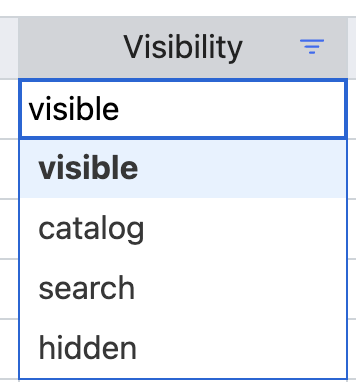
This then translates to Setary visibility dropdown as shown below.
With variation products, it works a little different as variations don’t have these options, it simply shows “Enabled” with a tick box in the backend of WooCommerce.
As the database name is the same as a variable product we need to use a slightly different setup where we map the “Enabled” selection to the “Status” column in Setary, this is much like setting a Product to draft for instance, but for variations we can only select “Publish” or “Private”. This is the equivalent of show and hide.
Now you know how Variations are Enabled in Setary, you can bulk-manage this setting at ease.