
Both the Setary and Matrixify apps are designed to bulk edit Shopify products. If you are comparing Setary vs Matrixify then the choice comes down to one thing: Whether you want to edit in a grid or edit in a file.
Setary loads your catalog into a live spreadsheet you type into. Matrixify exports a file, you edit it in Excel or Google Sheets, then you import it back. Matrixify has been on the Shopify App Store since July 2017 and holds 4.9 stars from 1,686 reviews. Setary is new to Shopify and launched in June 2026.
We are Setary, so this page is written from our side of the comparison. I have set out both working methods step by step, compared the prices and the product caps, and been specific about where Matrixify is the better choice. For example, if you are migrating a store then I recommend Matrixify and you can stop reading now.
The Short Answer
Choose Setary if:
- You want to type into a live grid instead of preparing a file.
- You edit a few hundred to a few thousand products week to week.
- You want to see a mistake while you are making it, not after an import.
- You also run WooCommerce or WordPress.
- You do not want the app to keep a copy of your product data.
Choose Matrixify if:
- You are migrating a store onto Shopify from another platform.
- You need to edit orders, customers, collections or discounts.
- You push more than 5,000 products through in one go.
- You want imports and exports to run on a schedule.
- You pull supplier files from FTP, Google Drive or Dropbox.
- You want a backup file you can restore from.
Setary vs Matrixify Comparison Table
| Feature | Setary | Matrixify |
|---|---|---|
| Cheapest paid plan | $9.99 / month per store, or $99 / year | $20 / month per store |
| Free plan | None. 7-day trial, plus a 48-hour demo store with no install | Yes, 10 items per file |
| Product limit on the cheapest paid plan | No limit | 5,000 products per file |
| Cheapest plan with no product limit | $9.99 / month | $200 / month |
| How you edit | Live spreadsheet grid, edited inline | Export a file, edit it in Excel or Google Sheets, import it back |
| Editing grid inside the app | Yes | No |
| What it edits | Products and variants, plus product metafields | 18 data types, including orders, customers, collections and discounts |
| Bulk actions | Set, append, replace, price by percent or amount | A Command column in the file: NEW, MERGE, UPDATE, REPLACE, DELETE, IGNORE |
| AI description writing | Yes, built in | No |
| Scheduled and repeating imports | No | Yes, on every plan including the free one |
| Where errors appear | In the grid, as you edit | In a results file you download after the import |
| Undo | Yes, before changes are committed | Dry Run before an import |
| Rollback after you sync | No | Restore from your exported file |
| Keeps a copy of your product data | No | Yes, the export file |
| Store migration | No | Yes, its main use |
| Files from FTP, SFTP, Google Drive or Dropbox | No | Yes |
| Multiple Shopify stores from one login | Yes, with a store switcher | Copies data between stores as files |
| Also edits WooCommerce and WordPress | Yes, on a separate subscription | No. Imports from WooCommerce into Shopify only |
| Shopify App Store rating | No reviews yet | 4.9 from 1,686 reviews |
| On the App Store since | 25 June 2026 | 7 July 2017 |
These figures were checked on 29 September 2026. Shopify App Store ratings and prices can change.
Working Method: A Grid You Type Into vs. a File You Export and Re-Import
Matrixify is built around exporting, editing and importing files. Its own How It Works page has a section headed ‘Bulk Edit Shopify Data’. That section only explains which columns to put in your import file, and what the Command column does. In reality, there is no editing screen in the app at all.
Instead, Matrixify can download your Shopify products and then allow you to edit it in Google Sheets, Google Drive, Dropbox or an FTP server. Nothing changes in your store until you re-import it.
Setary works differently: It shows your Shopify catalog as one editable grid. Every product and variant appears as a row, with whichever columns of product data you want. You click a cell and type. For example, you might fix 40 descriptions one by one, or check SKUs against the data in the next column.
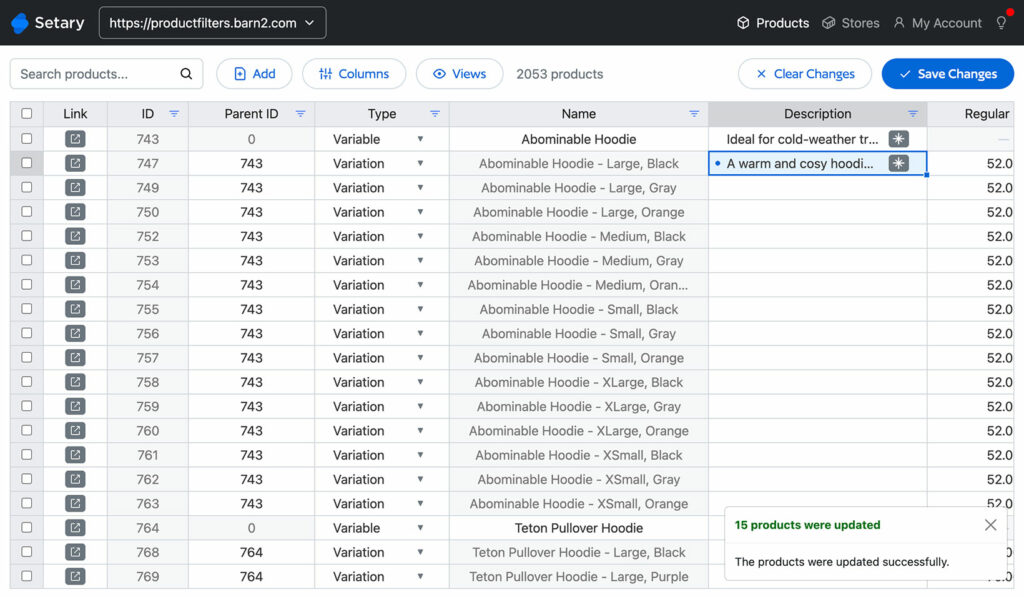
Setary also has bulk actions for rule-shaped changes: Set, append, replace, and change prices by a percent or a fixed amount. Our guides to bulk editing Shopify products and editing Shopify variants cover those.
With Matrixify, the spreadsheet is a file you export and upload. With Setary, the spreadsheet is the app.
Changing 400 Prices, Step by Step in Each App
Here’s how you would approach the same bulk edit task in both Matrixify and Setary – raising the price of 400 products.
In Matrixify, you:
- Create a new export, and choose your sheets, columns and filters.
- Wait while Matrixify builds the file. It emails you when the file is ready.
- Download it, as an Excel file or a zip of CSVs.
- Open it in Excel or Google Sheets and change the prices.
- Cut the file down to the columns you are updating, and add a Command column if you need anything other than a merge.
- Upload the file back. Matrixify checks it first and may flag problems you have to fix before it will continue.
- Start the import. Matrixify runs one import or export at a time, so anything else you start waits in a queue.
- Download the Import Results file and read the Import Result and Import Comment columns to see which rows went through.
- Fix the spreadsheet and upload it again for anything that failed.
In Setary, you:
- Open Setary. Your catalog is already in the grid.
- Filter to the 400 products, and save the view if you will use it again.
- Select the price column and apply a bulk action, either a percentage or a fixed amount.
- Preview the change, then click Update to sync it to your store.
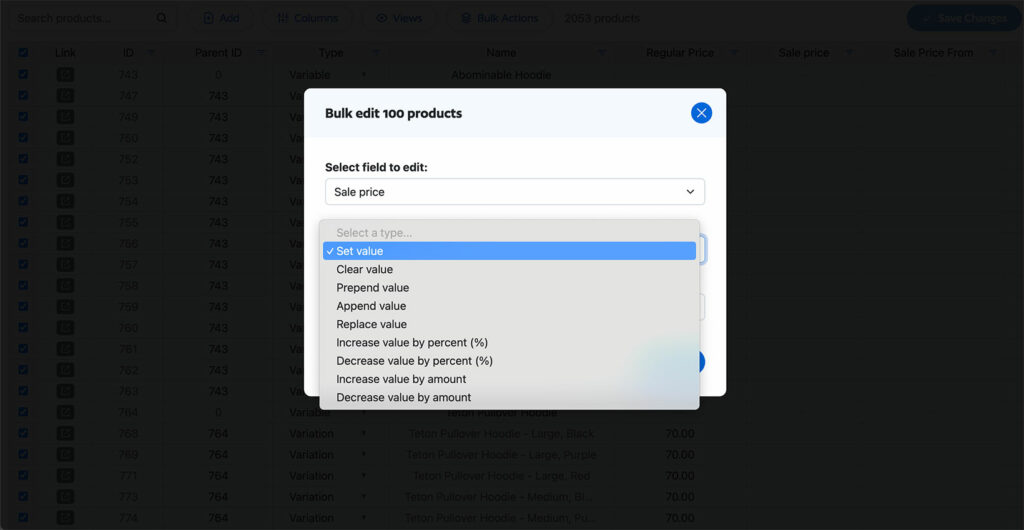
Both apps get you to the same place – the difference is how much time it takes you. If you still want the file route, our guide to exporting Shopify products covers it.
When You Find Out an Edit Went Wrong
Matrixify checks your file before it writes anything to your store. Its developer put it this way in a public review reply on 27 August 2026: The app “deliberately validates uploaded files before writing anything”. That is a real safeguard and it catches a malformed file.
What no file check can catch is a value that is correctly formatted and wrong. A price typed as 19.99 when you meant 199.99 passes validation and imports. Instead, you find that out afterwards, row by row. Matrixify generates an Import Results file when the import finishes, with two columns added to your original rows: Import Result and Import Comment. As a result, fixing a mistake means another full circuit: edit, upload, import, download the results, read them and start again.
Setary lets you preview and undo changes before you make them live. It displays the updated cells with a dot alongside, like this:
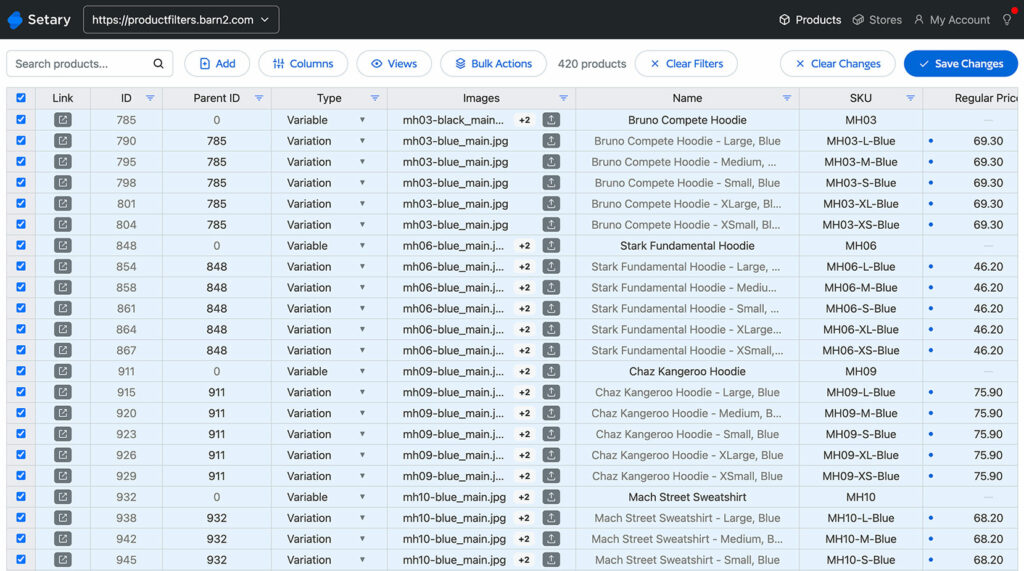
However, there is no rollback after you sync, and Matrixify has the advantage there because your export file is a copy you can restore from. Our guide to importing CSV files to Shopify covers the ways a file import can look successful and still break things.
Price: No Product Cap on Setary vs. a 5,000 Cap on Matrixify’s Cheapest Plan
Setary costs $9.99 a month for Shopify, or $99 a year, with a 7-day free trial and a 30-day money-back guarantee. Matrixify starts at $20 a month and has a free Demo plan that handles 10 items per file.
However, the headline prices the real difference. Matrixify caps how much you can put through in one file, and the cap grows depending on the plan. You get 5,000 products per file on the $20 Basic plan, 50,000 on the $50 plan, and no cap at all only on the $200 Enterprise plan. Setary has one plan and no product cap at any price – everything is unlimited.
So if you run 3,000 products then you fit inside the $20 Matrixify plan comfortably. The cap only starts to cost you when a single bulk edit session crosses 5,000 products, which happens sooner than you might think on a store with a lot of variants.
Both apps bill per Shopify store, so three stores on Setary come to $29.97 per month rather than $9.99.
How Much Spreadsheet Skill Each App Needs
Shopify’s own summary of Matrixify’s 1,686 reviews puts it plainly: “While there’s a learning curve, merchants find it efficient, dependable, and backed by fast, helpful support.” The numbers back that up, at 4.9 stars with 38 one-star and five two-star reviews against more than 1,600 five-star ones.
One merchant review, from Epic Offroad in Australia on 27 August 2026, is blunter: “Unless you are an XL guru this app is rubbish”. I am quoting one review out of 1,686 because it names the thing this comparison is about, not because it is typical. A five-star reviewer makes the same point more usefully. Cambridge University Press Bookshop, on 18 June 2026, called it “Really easy to use once you get the hang of making sure the uploads have the right column headers etc.”
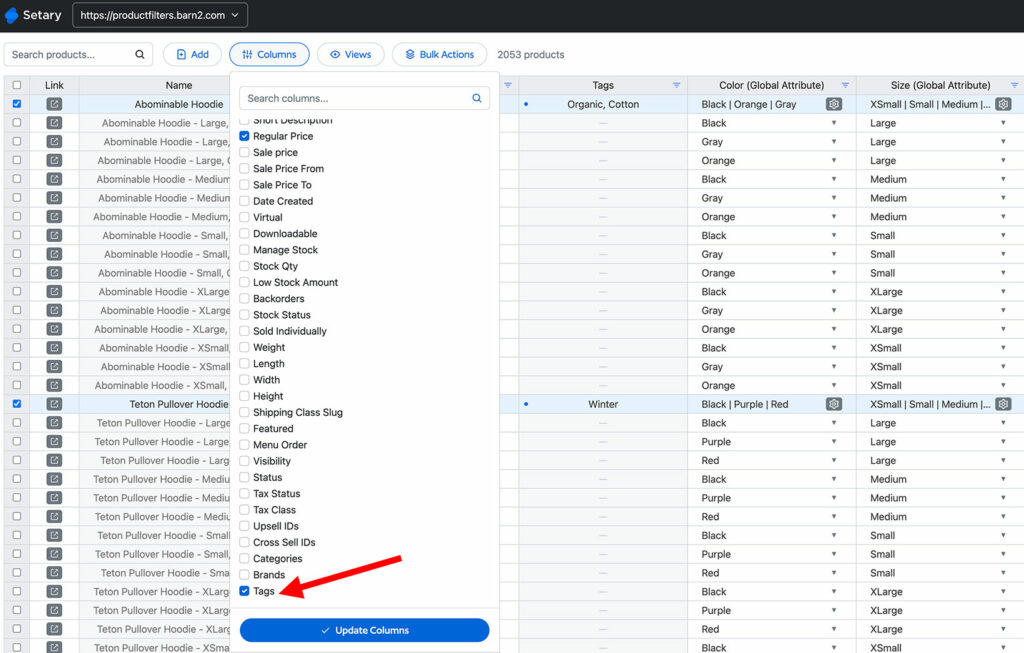
That is the real difference in skill. Matrixify asks you to be comfortable with a spreadsheet file, because the file is the interface. You need to know which columns to keep, what the Command column does, and how to fix a file it rejects. Setary asks for the same spreadsheet instinct but handles the file format for you, because there is no file. While Setary is a spreadsheet, it’s much simpler than tools like Excel because it’s designed specifically for bulk editing and doesn’t have all the other spreadsheet features that aren’t relevant for this use case. For example, it makes it easy to show and hide columns in the bulk edit spreadsheet and save your favourite views to quickly return to later.
Setary Does Not Store Your Product Data
Setary reads your catalog through the Shopify API and shows it live in the spreadsheet editor. Nothing is copied into a Setary database for you to work on, and when you approve a change we push it to your live store through the same API. We store neither your product data nor the changes you make to it.
Matrixify works the other way round, by design. Every export produces a file, and that file is a copy of your catalog. It holds your pricing and your supplier SKUs, and it goes out of date the moment someone edits a product in your store.
Matrixify is open about where those files live. Its documentation says: “By default, the app will store all import/export files on Matrixify data storage without limitations. When the app has been uninstalled the files will be deleted after 30 days.” You get controls over that. A rolling erasure setting deletes files older than 1, 7, 30, 60, 90 or 365 days. Matrixify also runs continuous external security penetration testing, most recently in July 2026.
So this is not a warning about Matrixify. Holding the file is what it is designed to do, and is also what gives you a backup and a restore. Setary keeps nothing, which means no second copy of your catalog sits in anyone else’s database, and also that there is nothing to roll back to once you sync. Neither route is better, it just depends on your needs and preferences.
Multiple Shopify Stores from One Setary Login
If you run more than one Shopify store, then you can bulk edit each one from the same Setary login. You install Setary for Shopify from each store you want to edit, then link those stores to the same account. They then appear in the store switcher at the top right. From there, you jump between stores in a click and apply the same inventory and pricing updates across all of them in one pass.
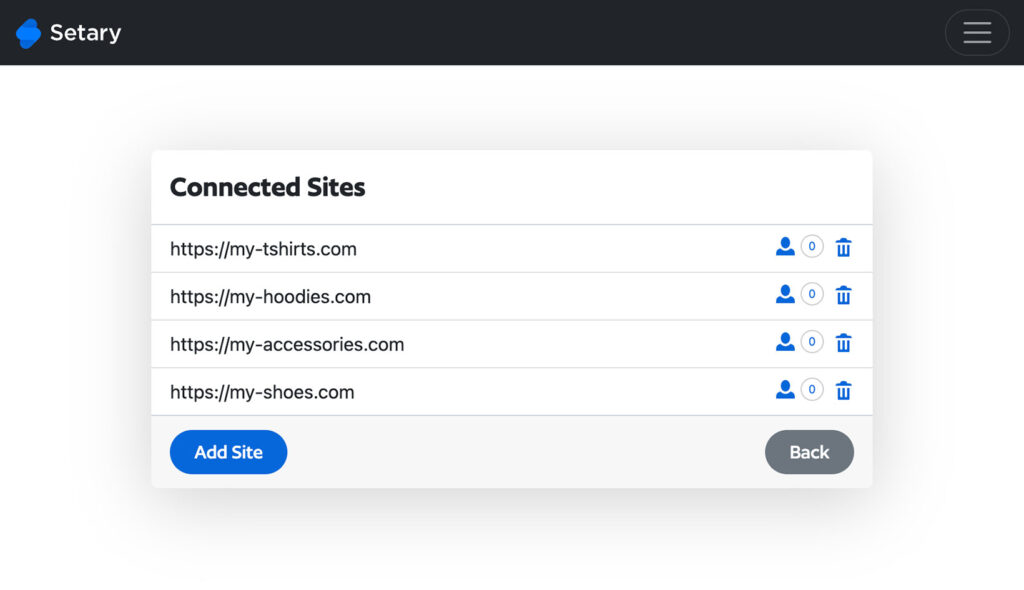
Each store installs the app from the Shopify App Store and is billed separately through Shopify, so it is one login and one grid at $9.99 per connected store. This suits agencies running client stores, merchants with a separate store per region or brand, and anyone running a wholesale store alongside a retail one.
Matrixify can move data between stores too. Its App Store listing advertises “Copy data from store to store”, and it links one free additional store to each paid subscription. The difference is the method rather than the capability: Matrixify moves data between stores as files, and Setary switches you between live stores inside one grid.
Setary Also Edits WooCommerce and WordPress
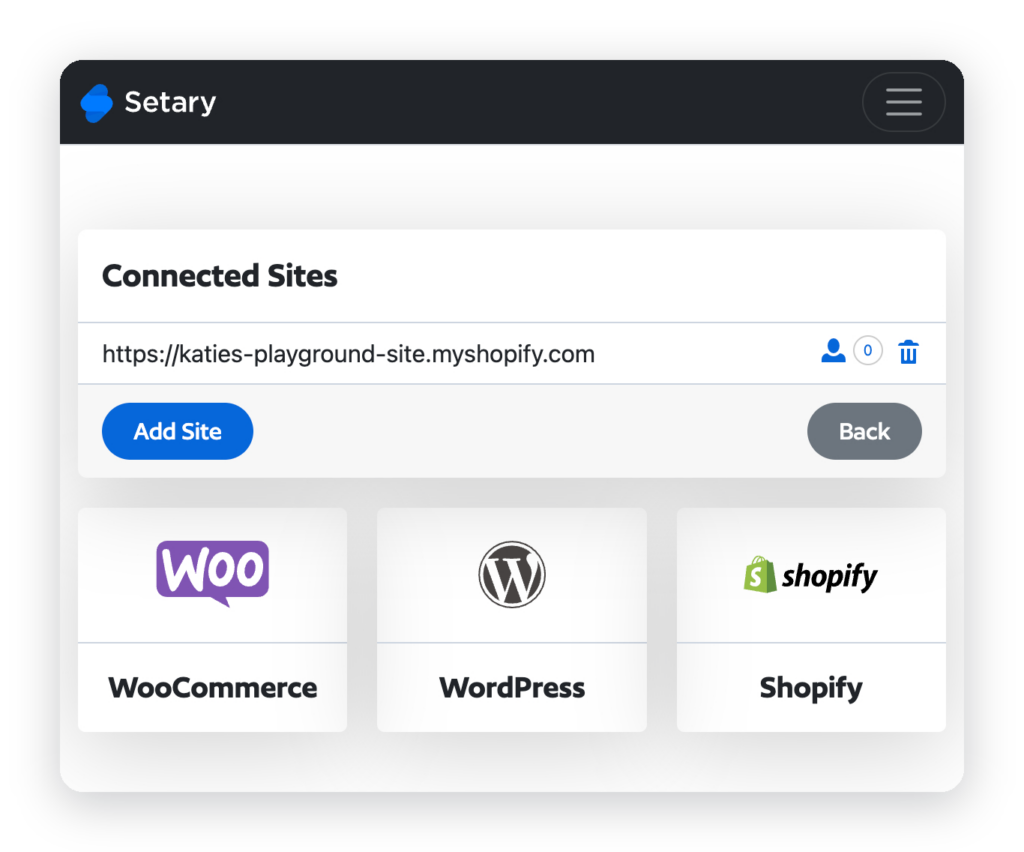
Setary uses the same spreadsheet, columns, filters and bulk actions whichever platform the products come from, so you learn one app instead of two. Your Shopify, WooCommerce and WordPress stores sit in the same store switcher. For an agency with clients on both platforms, that is one way of working across every client. Billing is separate: Shopify through Shopify at $9.99 a month, WooCommerce and WordPress by Setary from $144 a year for one site.
Matrixify imports from WooCommerce into Shopify, which is a different thing. It moves a WooCommerce catalog onto Shopify once, and it does that well. It does not let you edit a live WooCommerce store afterwards.
Where Matrixify Is Stronger
- Store migrations – This is what Matrixify is really for. It moves a catalog onto Shopify from WooCommerce, WordPress, Magento, BigCommerce, Lightspeed and others, and its Dry Run feature shows you what an import would do before it does it. Setary does not migrate stores.
- Reviews and age – Matrixify has 1,686 reviews at 4.9 and has been on the Shopify App Store since 7 July 2017. Setary has been available for WooCommerce for several years, but only launched for Shopify on 25 June 2026 and has no Shopify reviews yet.
- Built for Shopify – Matrixify has the badge. Setary cannot get it, because the badge requires the primary workflow to run inside the Shopify admin, and Setary runs at setary.com/app.
- Far more than products, and far larger files – Matrixify handles 18 data types, including orders, draft orders, customers, B2B companies, discounts, payouts, pages, redirects and translations. It takes 50,000 products per file on the $50 plan and has no limit on the $200 plan. Setary edits products and variants only.
- Scheduling and supplier files – Matrixify runs imports and exports on a schedule and repeats them automatically, on every plan including the free one. It also reads files from FTP, SFTP, Google Drive, Google Sheets and Dropbox. Setary has neither.
- Backup and restore – Matrixify backs up store data, restores it and copies it between stores. Setary does not.
If what you need is a migration, a nightly supplier feed or a scheduled sync, Matrixify is the right app and Setary will not replace it.
Which One to Pick
If You Have a Few Hundred to a Few Thousand Products and Edit Them Weekly
I would pick Setary here. You spend your time typing into rows instead of preparing and checking files. You also see a wrong price while you are typing it, rather than in a results file afterwards. At this size you also stay well inside every limit either app has.
If You Are Migrating to Shopify, Editing Orders, or Running Edits on a Schedule
Matrixify, without much doubt. Setary edits products and variants, so anything outside that is out of scope for it. Migration is the work Matrixify was built for, and scheduled imports come on every one of its plans while Setary has no scheduling at all.
If You Run Multiple Stores, or Shopify and WooCommerce Together
Setary. Both apps can work across several Shopify stores, but only Setary puts live stores behind one switcher, and only Setary edits a live WooCommerce or WordPress store.
FAQ
Is Setary cheaper than Matrixify?
At the cheapest paid plan, yes: $9.99 a month against $20. Both apps bill per connected Shopify store, so compare them per store. The bigger difference is the cap rather than the price, because the $20 Matrixify plan stops at 5,000 products per file and Setary has no product limit.
What can Setary do that Matrixify cannot?
Two things. Setary edits your catalog in a live grid rather than through an exported file, and Setary edits live WooCommerce and WordPress stores from the same app.
What can Matrixify do that Setary cannot?
Quite a lot. Matrixify migrates a store onto Shopify from another platform. It edits orders, customers, collections, discounts, pages and around a dozen other data types that Setary does not touch. It also runs imports on a schedule, pulls supplier files from FTP and cloud storage, handles far larger files, and backs up and restores your store data.
Do I need Matrixify for a store migration?
For a migration onto Shopify, you need Matrixify or something like it. Setary does not migrate stores. Plenty of merchants use Matrixify once to move the catalog across, then use a day-to-day editor from then on.
Does Setary have a product limit?
No. Our Shopify FAQ states that “You can edit an unlimited number of Shopify products and variants.” The $9.99 plan is not capped by product count, and there is no separate variant cap.
Can I try Setary before paying?
Yes. Setary has a 7-day free trial when you install the app from the Shopify App Store, plus a 30-day money-back guarantee. You can also try the demo for 48 hours with no install and no card, using a store already filled with dummy data.
Choose the Right Bulk Editor for Your Store
Matrixify is the better app if you are moving a store onto Shopify, editing data types beyond products and variants, running scheduled imports, pulling supplier feeds, or pushing more than 5,000 products through in one file. It has nine years on the App Store and 1,686 reviews behind it, and none of that is in question here.
Setary is the better app for the editing you do every week. You work in a live grid instead of exporting and re-importing a file, and you see a mistake while you are making it. It costs $9.99 a month with no product cap.
Plenty of stores end up using both, with Matrixify for the migration and Setary for the weekly catalog work. You can compare the plans on the Setary pricing page before you start your free trial. We have also compared Setary against Ablestar, Hextom and Mixtable.
Bulk edit anything in WordPress, WooCommerce and Shopify
Try our demo now and discover how you could save thousands of hours managing your site.
or try the demo